🚀 2D Infinite Jumper Game

Bounce, Jump & Explore 10 Fantasy Worlds!

Embark on an exhilarating hero adventure with 20 adorable cartoon heroes, rocket jetpacks, golden coins, and fun Arabic & English audio voices!
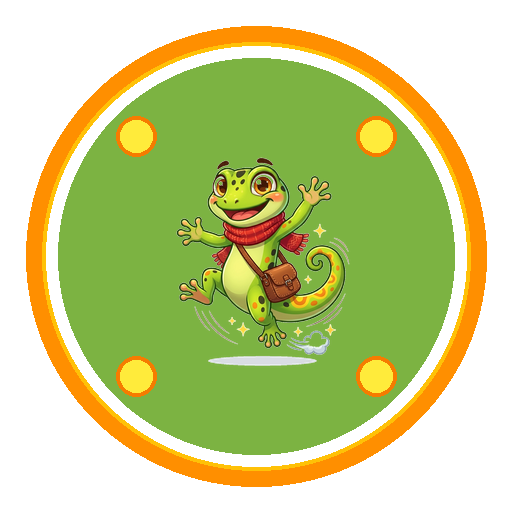
Jumper Quest Game Logo

Jumper Quest

Hero Adventure Game

Gecko Hero Bunny Hero Dino Hero Lion Hero Unicorn Hero
Game Highlights

Packed With Infinite Fun & Thrills

Designed for kids & families with colorful graphics, smooth bounce controls, and exciting rewards!

🏰

10 Magic Worlds

From Treasure Jungle & Cloud Kingdom to Candy Land, Galaxy Space, and Cyber City!

🦁

20 Cute Heroes

Unlock Gex Gecko, Hopper Bunny, Dino, Super Frog, Space Monkey, and 15 more unique heroes.

🚀

Rocket Jetpacks

Blast off into upper space with twin rocket boosters and bounce on spring super-platforms!

🎵

Catchy Audio & Voices

Enjoy vibrant Egyptian BGM tunes and fun cartoon cheering voices in both Arabic and English.

🔒

Child Safe & Compliant

100% COPPA & GDPR compliant family-friendly gameplay with local device score saves.

⚡

Smooth 60FPS Action

Powered by Flutter Flame engine for ultra-smooth responsiveness on all iOS and Android devices.

Explore & Unlock

Vibrant Fantasy Game Worlds

Candy Land World
Level 3

Candy Land (أرض الحلويات)

Cloud Kingdom World
Level 2

Cloud Kingdom (مملكة السحاب)

Galaxy Space World
Level 4

Galaxy Space (مجرة الفضاء)

Cyber City World
Level 9

Cyber City (مدينة المستقبل)

Ocean Depths World
Level 6

Ocean Depths (أعماق المحيط)

Desert Pyramid World
Level 8

Desert Pyramid (أهرامات الصحراء)

AdMob Publisher Verification

How to set up app-ads.txt for your apps

To protect your app's ad inventory from fraud and authorize Google AdMob to monetize your app, host the official app-ads.txt file at your developer root domain:

google.com, pub-8083932237652497, DIRECT, f08c47fec0942fa0
1
Create app-ads.txt

If you haven't already, create an app-ads.txt file using the specification provided by IAB Tech Lab.

2
Paste Code Snippet

Copy and paste the exact line above into your app-ads.txt file.

3
Publish on Developer Website Root

Publish your app-ads.txt on the root of your developer website (for example: cyberranner.web.app/app-ads.txt). Make sure the domain is entered exactly as listed on Google Play or the App Store.

4
Wait for Crawling & Verification

Wait at least 24 hours for AdMob to crawl and verify your app-ads.txt file. Then come back to Google AdMob and check your app-ads.txt status.

Direct URL link: https://cyberranner.web.app/app-ads.txt View Live app-ads.txt ↗